How to Make a Jukebox Playlist in Minecraft 26.4
From the Java 26.4 snapshots, a jukebox can play a whole stack of music discs on its own. Put a chest of discs on top and it plays them one after another, in order, and never stops. Here is how to set one up, which chests work, and how to read the song with redstone.
Updated · 5 min read · tested in Java 26.4 snapshot
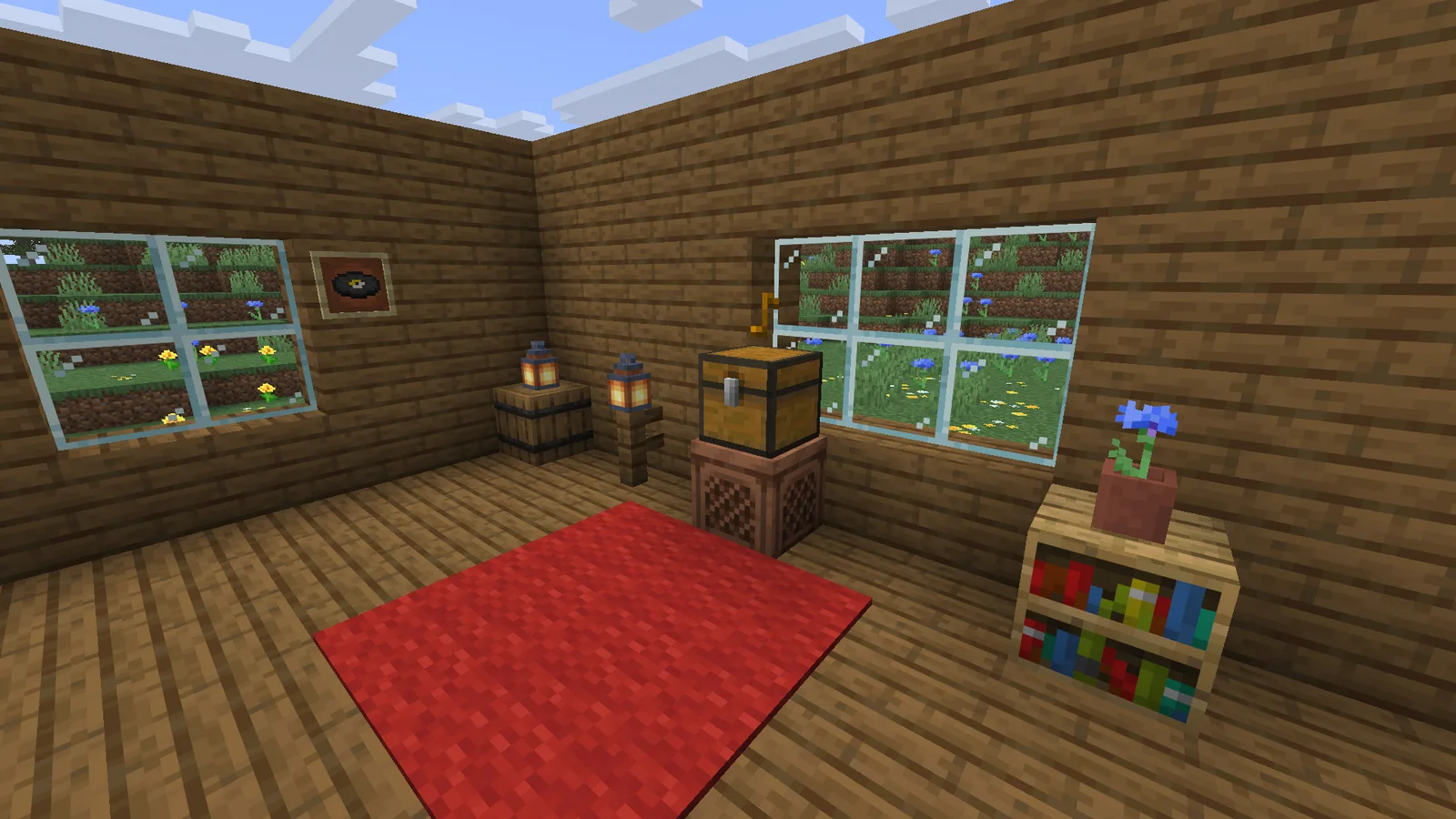
Quick answer
Place a single chest directly on top of a jukebox and fill the chest with music discs. The jukebox starts on its own, plays the discs in slot order (top-left first, row by row), then loops back to the first disc forever.
Works with a chest, a trapped chest or a copper chest. Not with a double chest, a barrel or a shulker box. Needs the Java 26.4 snapshots.
What you need
- A jukebox: eight planks around a diamond on a crafting table (see the recipe).
- A single chest, trapped chest or any of the 8 copper chests (every stage of rust, waxed or not).
- Some music discs. 26.4 has 23 of them; the music disc table says where each one comes from.
Step by step
Step 1: Place the jukebox
Put the jukebox wherever you want the music: a base, a shop, a server spawn. Leave the block above it free.
Step 2: Put a single chest on top
Place the chest directly on top of the jukebox. Hold Sneak while you place it so you place the chest instead of using the jukebox. Keep other chests away from its sides: a second chest next to it joins it into a double chest, which does not work.
Step 3: Fill the chest with discs, in the order you want
The jukebox plays the chest's slots in order: the top-left slot first, then along the row, then the next row. Gaps are fine, and you can put the same disc in more than once.
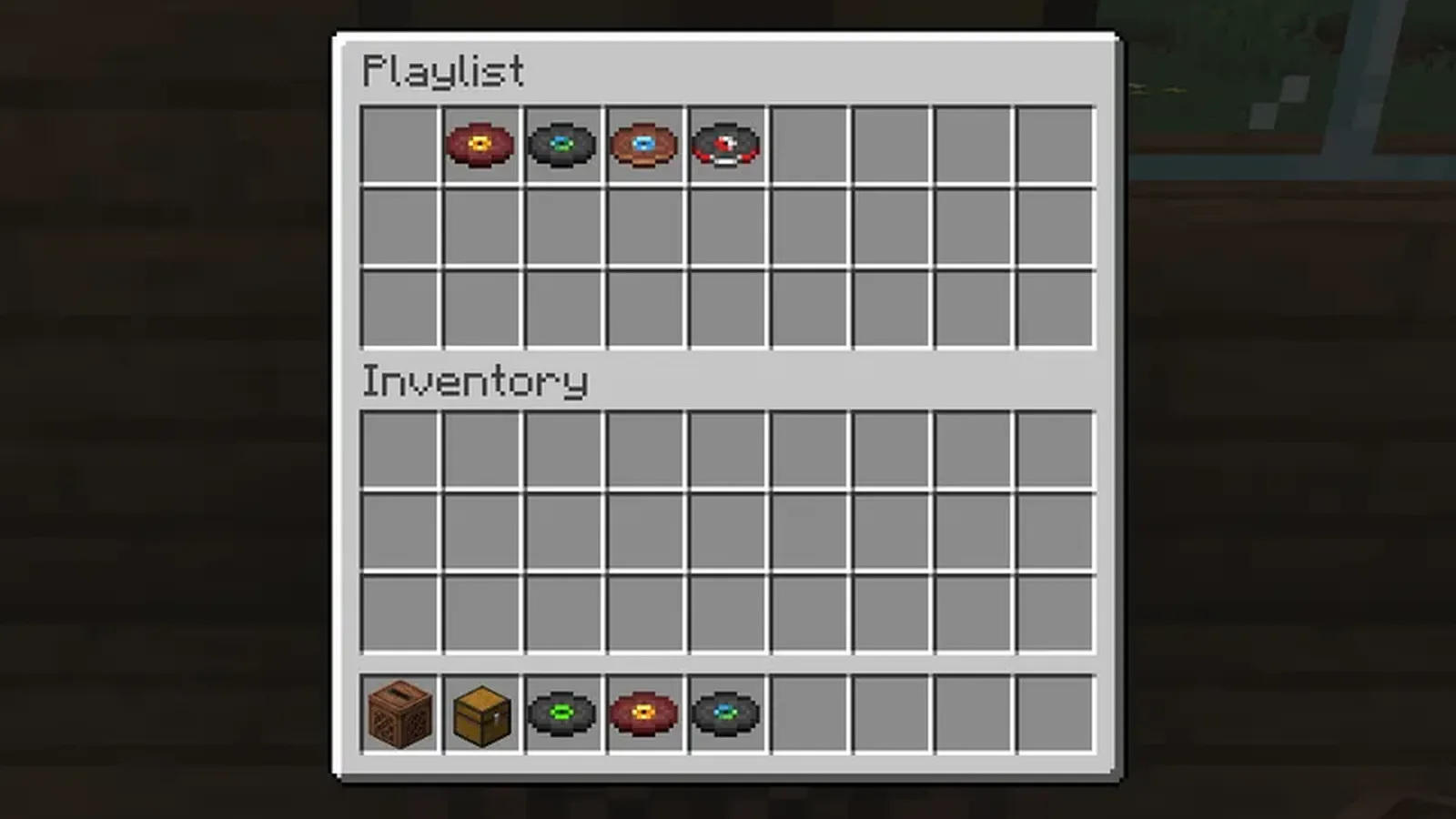
Step 4: That's it: the music starts
The jukebox takes the first disc and plays it straight away. You don't need to click it or power it. Each new song shows Now Playing above the hotbar for anyone nearby.
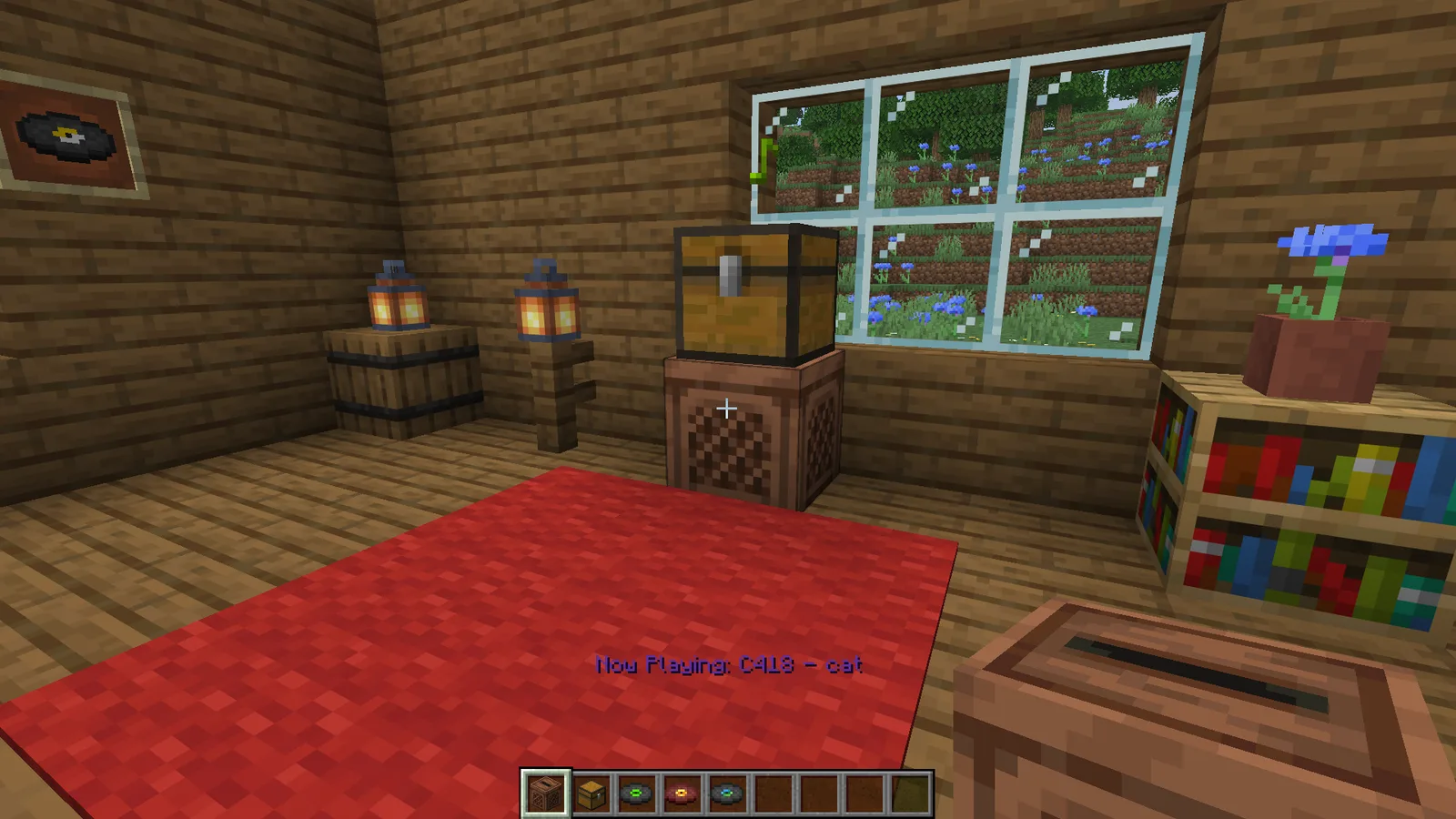
How the play order works
- The jukebox plays the next slot that holds a disc, counting from the slot after the one that just played. After the last slot it wraps round to the first.
- Empty slots are skipped with no pause, and so is anything that is not a music disc.
- A chest with one disc plays it on repeat. An empty chest plays nothing.
- The playing disc moves into the jukebox, and when it ends it goes back into the slot the next disc came from. So the discs shuffle round the chest as it plays, but the order you hear never changes.
- Each disc holds the jukebox for its song plus about one second, so a full loop of every disc in 26.4 lasts 1 h 11 min.
Which chests work
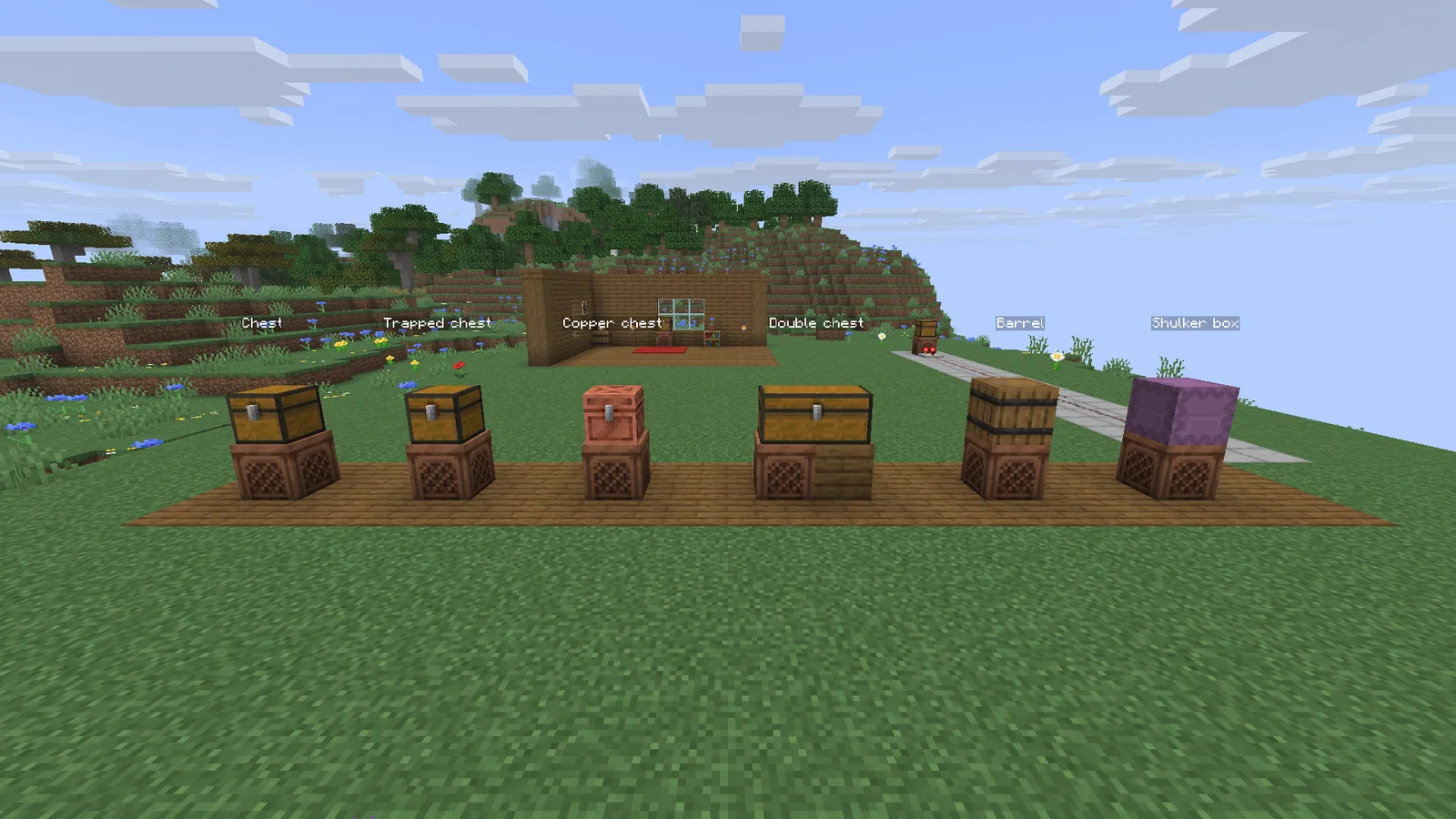
Only the blocks in the game's jukebox_containers list turn a jukebox into a playlist. In 26.4 that is:
Plays the discs
- Chest (single)
- Trapped chest (single)
- Copper chest (all 8: plain, exposed, weathered, oxidized, and each waxed)
Does nothing
- Double chest
- Barrel
- Shulker box
- Hopper
- Dropper
Redstone: tell which song is on
A comparator reading a jukebox outputs a signal set by the disc that is playing, from 1 to 15. In a playlist the signal changes each time a new disc starts, so redstone can react to the song: light a lamp for one track, open a door for another.
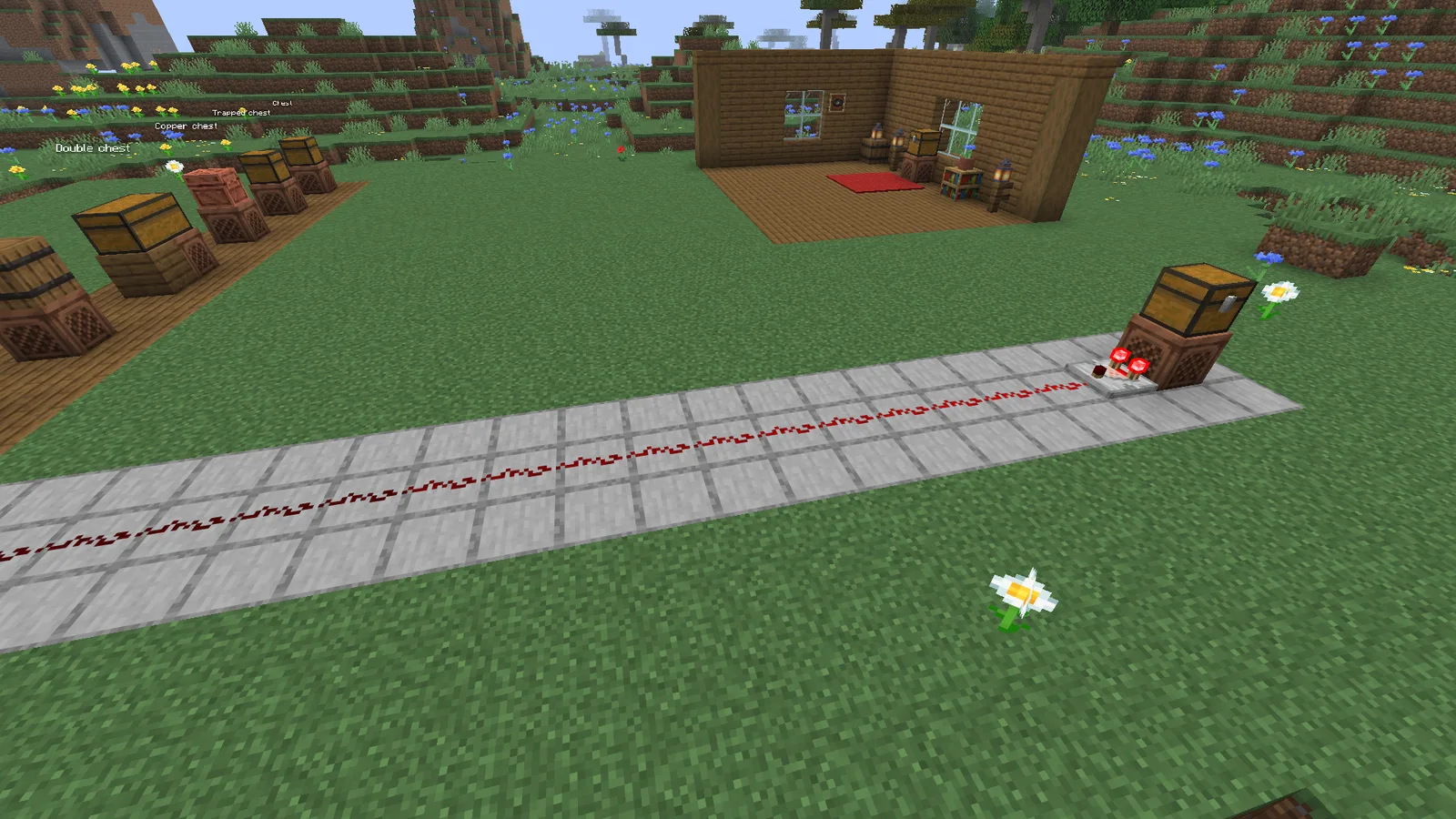
Several discs share a signal value. The music disc table lists each disc's signal, so you can pick discs with different values when the build needs to tell them apart.
Plan a playlist and get the command
The Jukebox Playlist Builder shows the play order and how long the loop takes, and gives you a /give command for a chest that is already filled, so you can drop a finished playlist on a jukebox in one go. It can also give the two /setblock commands that build the jukebox and the chest where you are looking.
How long the music discs are
The shortest disc in 26.4 is 11 by C418 at 1:11. The longest is blocks by C418 at 5:45. Every disc's length, signal, item ID and where to find it are in the music disc table, and the ID List has every item ID.
Playlist not working?
- Is it a double chest? Break the second chest so the playlist chest is single again.
- Is the chest directly on top? Next to the jukebox, or on a block above it, does nothing.
- Is the world on 26.4 or newer? Older versions ignore the chest and play one disc at a time. While 26.4 is in snapshots, that means a snapshot world.
- Was a disc put in by hand? A jukebox that is already playing a disc you put in keeps playing it; the playlist takes over from the next disc.
Frequently asked questions
How do you make a jukebox playlist in Minecraft?
In the Java 26.4 snapshots, place a single chest directly on top of a jukebox and put music discs in it. The jukebox starts by itself and plays the discs in slot order, then goes back to the first one and loops forever.
What version of Minecraft added jukebox playlists?
Jukebox playlists arrived in the Java 26.4 snapshots, the test builds Mojang releases before 26.4 itself. Older versions play one disc at a time and ignore a chest on top.
How many music discs can a jukebox playlist hold?
A single chest has 27 slots, so up to 27 discs. The same disc can go in more than once, and empty slots are skipped without a pause.
Does a double chest work as a jukebox playlist?
No. Only a single chest, a trapped chest or a copper chest works. If you place a second chest next to the playlist chest so they join into a double chest, the jukebox stops treating it as a playlist. Barrels and shulker boxes do nothing either.
Will a jukebox playlist loop forever?
Yes. After the last disc the jukebox starts again from the first, and a chest with only one disc in it repeats that disc forever. A disc put straight into a jukebox, with no chest, still plays once and stops.
Can a comparator tell which song is playing?
Yes. A comparator reading the jukebox outputs the playing disc's signal (1 to 15), and in a playlist it changes as each disc starts. Several discs share a signal, so pick discs with different values if you want to tell them apart.
Does this work on Bedrock Edition?
This guide is written for and tested on Java Edition, where playlists arrived in 26.4. We have not tested Bedrock Edition, so try it in your own world before you build around it.