Minecraft ID List
Complete database of all Minecraft items, blocks, mobs, enchantments, and effects with their IDs
Showing 1,351–1,425 of 1,882 matching entries
| Type | ||
|---|---|---|
 Purple Glazed Terracotta purple_glazed_terracotta | purple_glazed_terracotta | block |
 Purple Harness purple_harness | purple_harness | item |
 Purple Shulker Box purple_shulker_box | purple_shulker_box | block |
 Purple Stained Glass purple_stained_glass | purple_stained_glass | block |
Purple Stained Glass Pane purple_stained_glass_pane | purple_stained_glass_pane | block |
 Purple Terracotta purple_terracotta | purple_terracotta | block |
 Purple Wool purple_wool | purple_wool | block |
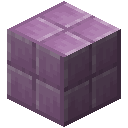 Purpur Block purpur_block | purpur_block | block |
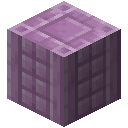 Purpur Pillar purpur_pillar | purpur_pillar | block |
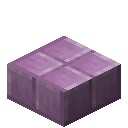 Purpur Slab purpur_slab | purpur_slab | block |
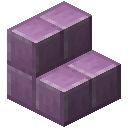 Purpur Stairs purpur_stairs | purpur_stairs | block |
 Quartz Bricks quartz_bricks | quartz_bricks | block |
 Quartz Pillar quartz_pillar | quartz_pillar | block |
 Quartz Slab quartz_slab | quartz_slab | block |
 Quartz Stairs quartz_stairs | quartz_stairs | block |
✨ Quick Charge quick_charge | quick_charge | ench |
 Rabbit Hide rabbit_hide | rabbit_hide | item |
 Rabbit Spawn Egg rabbit_spawn_egg | rabbit_spawn_egg | item |
 Rabbit Stew rabbit_stew | rabbit_stew | item |
 Rabbit's Foot rabbit_foot | rabbit_foot | item |
Raid Omen raid_omen | raid_omen | effect |
 Rail rail | rail | block |
 Raiser Armor Trim raiser_armor_trim_smithing_template | raiser_armor_trim_smithing_template | item |
MOB Ravager ravager | ravager | mob |
 Ravager Spawn Egg ravager_spawn_egg | ravager_spawn_egg | item |
 Raw Beef beef | beef | item |
 Raw Chicken chicken | chicken | item |
 Raw Cod cod | cod | item |
 Raw Copper raw_copper | raw_copper | item |
 Raw Gold raw_gold | raw_gold | item |
 Raw Iron raw_iron | raw_iron | item |
 Raw Mutton mutton | mutton | item |
 Raw Porkchop porkchop | porkchop | item |
 Raw Rabbit rabbit | rabbit | item |
 Raw Salmon salmon | salmon | item |
 Recovery Compass recovery_compass | recovery_compass | item |
 Red Banner red_wall_banner | red_wall_banner | block |
Red Banner red_banner | red_banner | block |
 Red Bed red_bed | red_bed | block |
 Red Bundle red_bundle | red_bundle | item |
 Red Candle red_candle | red_candle | block |
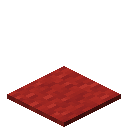 Red Carpet red_carpet | red_carpet | block |
 Red Concrete red_concrete | red_concrete | block |
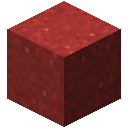 Red Concrete Powder red_concrete_powder | red_concrete_powder | block |
 Red Dye red_dye | red_dye | item |
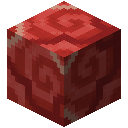 Red Glazed Terracotta red_glazed_terracotta | red_glazed_terracotta | block |
 Red Harness red_harness | red_harness | item |
 Red Mushroom red_mushroom | red_mushroom | block |
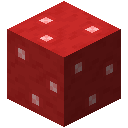 Red Mushroom Block red_mushroom_block | red_mushroom_block | block |
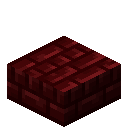 Red Nether Brick Slab red_nether_brick_slab | red_nether_brick_slab | block |
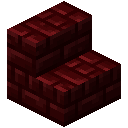 Red Nether Brick Stairs red_nether_brick_stairs | red_nether_brick_stairs | block |
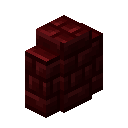 Red Nether Brick Wall red_nether_brick_wall | red_nether_brick_wall | block |
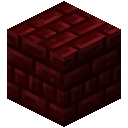 Red Nether Bricks red_nether_bricks | red_nether_bricks | block |
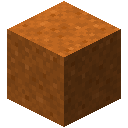 Red Sand red_sand | red_sand | block |
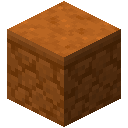 Red Sandstone red_sandstone | red_sandstone | block |
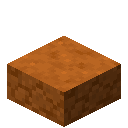 Red Sandstone Slab red_sandstone_slab | red_sandstone_slab | block |
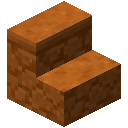 Red Sandstone Stairs red_sandstone_stairs | red_sandstone_stairs | block |
 Red Sandstone Wall red_sandstone_wall | red_sandstone_wall | block |
 Red Shulker Box red_shulker_box | red_shulker_box | block |
 Red Stained Glass red_stained_glass | red_stained_glass | block |
Red Stained Glass Pane red_stained_glass_pane | red_stained_glass_pane | block |
 Red Terracotta red_terracotta | red_terracotta | block |
 Red Tulip red_tulip | red_tulip | block |
 Red Wool red_wool | red_wool | block |
 Redstone Comparator comparator | comparator | block |
 Redstone Dust redstone | redstone | item |
 Redstone Lamp redstone_lamp | redstone_lamp | block |
 Redstone Ore redstone_ore | redstone_ore | block |
 Redstone Repeater repeater | repeater | block |
 Redstone Torch redstone_torch | redstone_torch | block |
Redstone Torch redstone_wall_torch | redstone_wall_torch | block |
 Redstone Wire redstone_wire | redstone_wire | block |
Regeneration regeneration | regeneration | effect |
 Reinforced Deepslate reinforced_deepslate | reinforced_deepslate | block |
 Repeating Command Block repeating_command_block | repeating_command_block | block |
How to use the ID List
Browse all 2,900+ Minecraft IDs — items, blocks, entities, enchantments and effects — with their namespaced identifiers. Search by name, filter by type, switch between Minecraft versions up to 26.2, and copy IDs instantly.
Quick steps
- 1Type in the search bar to filter by item, block, or entity name
- 2Use the type filter to show only items, blocks, or entities
- 3Click any entry to copy its ID (e.g., minecraft:diamond_sword)
- 4Switch versions in the sidebar to see IDs for a specific Minecraft release
Example use cases
- Look up the exact namespaced ID for a command you are writing
- Compare which items or blocks were added between two Minecraft versions
- Find entity IDs for use with /summon or /kill commands
Tips
The list updates automatically when you change the version selector
You can search partial names — typing "copper" will show all copper-related items and blocks
Frequently asked questions
Where can I find a full list of Minecraft item IDs?
Right here. The ID list covers every item, block, entity, enchantment, and status effect for all 31 Java Edition versions from 1.17 up to the latest, 26.2 — on 26.2 that is 1,537 items, 1,196 blocks, 158 entities, 43 enchantments and 40 effects, each with its namespaced ID (e.g. minecraft:diamond_sword).
How do I find the ID for a specific mob or block?
Use the search bar at the top and type part of the name. Use the type filter to narrow down to just items, blocks, entities, enchantments, or effects. Click any row to copy its ID to your clipboard for use in commands or datapacks.
Does the ID list include modded items?
Yes, for supported mods. Add a mod in the version selector and its items, blocks, and entities appear in the list with their mod namespace (e.g. mekanism:ingot_osmium). Currently Mekanism, Farmer's Delight, and Industrial Foregoing are supported.
How can I tell which items were added in a specific Minecraft version?
Switch versions using the version selector in the sidebar. Each version dump is a complete snapshot of that version's registry — so newer items appear only in newer versions, and removed items disappear. Compare by flipping between two versions and watching the list change.
Can I save items to a favorites list?
Yes — sign in and click the star icon on any row to favorite it. Favorites sync to your account and are shown as an extra column. Useful for building a personal shortlist of items you reference often when writing commands or datapacks.