Reference
Minecraft ID List
Complete database of all Minecraft items, blocks, mobs, enchantments, and effects with their IDs
Showing 1,726–1,800 of 2,007 matching entries
| Type | ||
|---|---|---|
 Sulfur Brick WallRecipe for Sulfur Brick Wall sulfur_brick_wall | sulfur_brick_wall | block |
 Sulfur BricksRecipe for Sulfur Bricks sulfur_bricks | sulfur_bricks | block |
MOB Sulfur Cube sulfur_cube | sulfur_cube | mob |
 Sulfur Cube Spawn Egg sulfur_cube_spawn_egg | sulfur_cube_spawn_egg | item |
 Sulfur SlabRecipe for Sulfur Slab sulfur_slab | sulfur_slab | block |
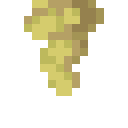 Sulfur Spike sulfur_spike | sulfur_spike | block |
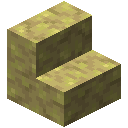 Sulfur StairsRecipe for Sulfur Stairs sulfur_stairs | sulfur_stairs | block |
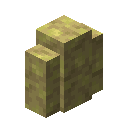 Sulfur WallRecipe for Sulfur Wall sulfur_wall | sulfur_wall | block |
 Sunflower sunflower | sunflower | block |
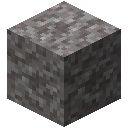 Suspicious Gravel suspicious_gravel | suspicious_gravel | block |
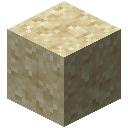 Suspicious Sand suspicious_sand | suspicious_sand | block |
 Suspicious StewRecipe for Suspicious Stew suspicious_stew | suspicious_stew | item |
 Swamp Hut Map swamp_hut_map | swamp_hut_map | item |
✨ Sweeping Edge sweeping_edge | sweeping_edge | ench |
 Sweet Berries sweet_berries | sweet_berries | item |
 Sweet Berry Bush sweet_berry_bush | sweet_berry_bush | block |
✨ Swift Sneak swift_sneak | swift_sneak | ench |
MOB Tadpole tadpole | tadpole | mob |
 Tadpole Spawn Egg tadpole_spawn_egg | tadpole_spawn_egg | item |
 Taiga Village Map taiga_village_map | taiga_village_map | item |
 Tall Dry Grass tall_dry_grass | tall_dry_grass | block |
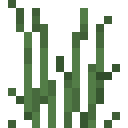 Tall Grass tall_grass | tall_grass | block |
 Tall Seagrass tall_seagrass | tall_seagrass | block |
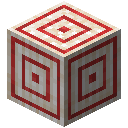 TargetRecipe for Target target | target | block |
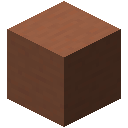 TerracottaRecipe for Terracotta terracotta | terracotta | block |
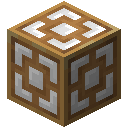 Test Block test_block | test_block | block |
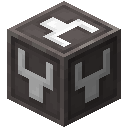 Test Instance Block test_instance_block | test_instance_block | block |
MOB Text Display text_display | text_display | mob |
 Thing Banner PatternRecipe for Thing Banner Pattern mojang_banner_pattern | mojang_banner_pattern | item |
✨ Thorns thorns | thorns | ench |
 Tide Armor TrimRecipe for Tide Armor Trim tide_armor_trim_smithing_template | tide_armor_trim_smithing_template | item |
 Tinted GlassRecipe for Tinted Glass tinted_glass | tinted_glass | block |
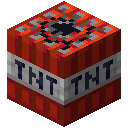 tnt | tnt | block |
 Torch wall_torch | wall_torch | block |
TorchRecipe for Torch torch | torch | block |
 Torchflower torchflower | torchflower | block |
Torchflower Crop torchflower_crop | torchflower_crop | block |
 Torchflower Seeds torchflower_seeds | torchflower_seeds | item |
 Totem of Undying totem_of_undying | totem_of_undying | item |
MOB Trader Llama trader_llama | trader_llama | mob |
 Trader Llama Spawn Egg trader_llama_spawn_egg | trader_llama_spawn_egg | item |
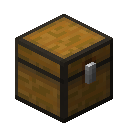 Trapped ChestRecipe for Trapped Chest trapped_chest | trapped_chest | block |
 Trial Key trial_key | trial_key | item |
Trial Omen trial_omen | trial_omen | effect |
 Trial Spawner trial_spawner | trial_spawner | block |
 Trident trident | trident | item |
 Tripwire tripwire | tripwire | block |
 Tripwire HookRecipe for Tripwire Hook tripwire_hook | tripwire_hook | block |
 Tropical Fish tropical_fish | tropical_fish | item |
 Tropical Fish Spawn Egg tropical_fish_spawn_egg | tropical_fish_spawn_egg | item |
 Tube Coral tube_coral | tube_coral | block |
 Tube Coral Block tube_coral_block | tube_coral_block | block |
 Tube Coral Fan tube_coral_fan | tube_coral_fan | block |
Tube Coral Wall Fan tube_coral_wall_fan | tube_coral_wall_fan | block |
 TuffRecipe for Tuff tuff | tuff | block |
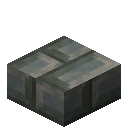 Tuff Brick SlabRecipe for Tuff Brick Slab tuff_brick_slab | tuff_brick_slab | block |
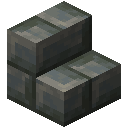 Tuff Brick StairsRecipe for Tuff Brick Stairs tuff_brick_stairs | tuff_brick_stairs | block |
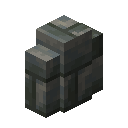 Tuff Brick WallRecipe for Tuff Brick Wall tuff_brick_wall | tuff_brick_wall | block |
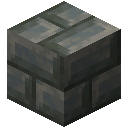 Tuff BricksRecipe for Tuff Bricks tuff_bricks | tuff_bricks | block |
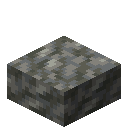 Tuff SlabRecipe for Tuff Slab tuff_slab | tuff_slab | block |
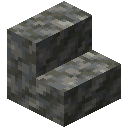 Tuff StairsRecipe for Tuff Stairs tuff_stairs | tuff_stairs | block |
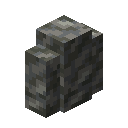 Tuff WallRecipe for Tuff Wall tuff_wall | tuff_wall | block |
MOB Turtle turtle | turtle | mob |
 Turtle Egg turtle_egg | turtle_egg | block |
 Turtle Scute turtle_scute | turtle_scute | item |
 Turtle ShellRecipe for Turtle Shell turtle_helmet | turtle_helmet | item |
 Turtle Spawn Egg turtle_spawn_egg | turtle_spawn_egg | item |
 Twisting Vines twisting_vines | twisting_vines | block |
 Twisting Vines Plant twisting_vines_plant | twisting_vines_plant | block |
✨ Unbreaking unbreaking | unbreaking | ench |
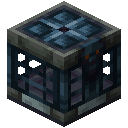 Vault vault | vault | block |
 Verdant Froglight verdant_froglight | verdant_froglight | block |
MOB Vex vex | vex | mob |
 Vex Armor TrimRecipe for Vex Armor Trim vex_armor_trim_smithing_template | vex_armor_trim_smithing_template | item |
 Vex Spawn Egg vex_spawn_egg | vex_spawn_egg | item |
How to use the ID List
Browse all 2,900+ Minecraft IDs in 26.3 — items, blocks, entities, enchantments and effects — with their namespaced identifiers. Search by name, filter by type, switch to any Minecraft version from 1.17 to 26.3, and copy IDs instantly.
Quick steps
- 1Type in the search bar to filter by item, block, or entity name
- 2Use the type tabs to show only items, blocks, mobs and entities, enchantments, or effects
- 3Click the copy button beside an entry to copy its ID (e.g., minecraft:diamond_sword)
- 4Switch versions with the selector at the top of the page to see IDs for a specific Minecraft release
Example use cases
- Look up the exact namespaced ID for a command you are writing
- Compare which items or blocks were added between two Minecraft versions
- Find entity IDs for use with /summon or /kill commands
Tips
The list updates automatically when you change the version selector
You can search partial names — typing "copper" will show all copper-related items and blocks
Frequently asked questions
Where can I find a full list of Minecraft item IDs?
Right here. The ID list covers every item, block, entity, enchantment, and status effect for all 32 Java Edition versions from 1.17 up to the latest, 26.3 — on 26.3 that is 1,658 items, 1,286 blocks, 161 entities, 43 enchantments and 40 effects, each with its namespaced ID (e.g. minecraft:diamond_sword).
How do I find the ID for a specific mob or block?
Use the search bar at the top and type part of the name. Use the type filter to narrow down to just items, blocks, entities, enchantments, or effects. Click the copy button next to any ID to put it on your clipboard for use in commands or datapacks.
Does the ID list include modded items?
Yes, for supported mods, on the Minecraft versions each mod was released for (between Java 1.19 and 1.21.1, not newer versions). Pick one of those versions, add a mod in the version selector, and its items, blocks, and entities appear in the list with their mod namespace (e.g. mekanism:ingot_osmium). Currently Mekanism, Farmer's Delight and Industrial Foregoing are supported.
How can I tell which items were added in a specific Minecraft version?
Switch versions using the version selector at the top of the page. Each version dump is a complete snapshot of that version's registry — so newer items appear only in newer versions, and removed items disappear. Compare by flipping between two versions and watching the list change.
Can I save items to a favorites list?
Yes — sign in and click the star icon on any row to favorite it. Favorites sync to your account and are shown as an extra column. Useful for building a personal shortlist of items you reference often when writing commands or datapacks.
Are these the same as Bedrock Edition IDs?
Not always. Many IDs match, but Bedrock names some items and blocks differently and has its own entity and effect lists. This list is read from Java Edition game data, so it matches Java commands and data packs exactly.